👁️
SEE
Recognise objects, faces, handwriting and animals inside images.
Machines that can learn, notice patterns, and help people solve problems.
AI is becoming part of how we learn, communicate, work and create. But what exactly is it, and how does it actually work?
WHAT AI DOES ALL DAY
Every section of this page answers one question. By the end you should be able to explain AI to your parents in one minute.
14
sections
5
questions to answer
0
lines of JavaScript
SECTION 01
Artificial Intelligence, or AI, is technology that allows computers to perform tasks that normally require human intelligence — understanding language, recognising pictures, answering questions, translating, predicting and creating.
A computer program normally follows rules a person wrote. An AI system is different: it is shown many examples and it works out the patterns for itself.
SEE
Recognise objects, faces, handwriting and animals inside images.
LISTEN
Turn speech into text and understand spoken commands.
COMMUNICATE
Answer questions and hold a conversation.
LEARN
Find patterns in very large amounts of information.
CREATE
Help produce text, images, music, video and code.
SECTION 02
Most people think AI means robots. In reality it is already sitting quietly inside the apps you opened this morning.

Face unlock, voice assistants, camera modes and autocorrect.
Recommends the next video from what you watch.
Suggest songs that match what you already like.
Calculate routes and predict traffic.
Detects spam and suggests the next word.
Ranks posts, detects faces, suggests content.
Explain concepts, brainstorm ideas, help you study.
Move a sentence between languages in a second.
SECTION 03
AI did not appear in 2023. It is the result of seventy years of slow work, and of three things arriving at once: faster computers, more data, and better methods.
1950s
Scientists began asking whether a machine could think, and whether a computer could imitate human intelligence at all.
1960s–
1980s
Researchers built programs that followed rules and solved narrow problems. Computers were slow, expensive and could not handle much information.
1990s
Machines became far faster. AI improved at recognising patterns, processing information and playing games.
2000s
The internet produced enormous amounts of digital information — and data is exactly what AI systems learn from.
2010s
Image recognition, speech, translation and recommendations improved sharply. Machine learning became the centre of modern AI.
2020s
AI could generate text, images, code, audio and video, and people could talk to it in ordinary language.
SECTION 04
Nobody writes a rule for what a mango looks like. Show a child enough mangoes and they start noticing the shape, the colour, the size, the skin. Later they recognise a mango they have never seen before.
AI training works in a similar way. Instead of teaching every rule by hand, developers provide many examples and let the system adjust itself until its answers get better.

THE TRAINING JOURNEY
01
Text, images, audio, numbers, video — many examples of whatever the model must recognise.
02
The computer works through the examples looking for what repeats: shapes, ears, faces, colours, textures.
03
The trained result. A model holds the patterns and uses them to make predictions.
04
Show it something new. Is this a cat or a dog? Developers measure how often it is right.
05
Better data, more training, adjusted methods, test again. This loop repeats many times.
SECTION 05 · A WORKED EXAMPLE
We want a model that can tell a banana from a mango from an orange. We collect the training data, we train, then we show the model a photo it has never seen.
The model does not "know" the fruit the way you do. It compares patterns and gives its best prediction.
NEW IMAGE → PREDICTION
MANGO
Confidence: 94%
94% confident is not the same as 100% correct.
That gap is the whole reason we check
AI answers.
SECTION 06
Assistants like ChatGPT are large language models. They were trained on enormous collections of text, and what they learned is how language tends to continue.
Cameroon is a country in ___
The model predicts which words are likely to come next. Repeat that at enormous scale and it can explain, summarise, translate and write.
SECTION 07
Not one day in the future — today, in these eight fields.
Explain lessons, generate practice questions, summarise topics, support teachers.
Help professionals analyse information and spot patterns in medical data.
Analyse crops, weather information and farming conditions.
Navigation, traffic prediction and some automated vehicle systems.
Detect suspicious transactions and analyse financial information.
Assist with images, music, writing, video and design.
Explain code, suggest code, find errors, help developers learn.
Translate between languages and support communication.
SECTION 08
Seven reasons, and none of them is "because it is new".
SPEED
Process very large amounts of information quickly.
PATTERN RECOGNITION
Notice patterns a person would struggle to see in time.
AUTOMATION
Handle repetitive tasks without getting tired.
CREATIVITY
Generate options and help explore possibilities.
ACCESSIBILITY
Speech recognition, image descriptions and translation open access for people with disabilities.
PERSONALISATION
Adapt recommendations or lessons to one particular learner.
RESEARCH
Analyse large datasets and explore difficult problems.
A calculator did not replace mathematics.
The internet did not replace learning.
AI should not replace thinking.
The best way to think about AI is as a tool that increases what humans are already capable of doing.
SECTION 09
Eight things you can try this week. Notice that not one of them is "give me the answer".

Explain photosynthesis to me like I am 12 years old.
Teach me fractions step by step and give me one question after each explanation.
Give me 10 questions about the Solar System. Do not show the answers until I finish.
Check my paragraph for grammar mistakes and explain what I should improve.
Give me five Scratch game ideas about protecting the environment.
Why is my HTML heading not displaying correctly? Here is my code.
Create a revision plan for my mathematics exam in two weeks.
Teach me the basics of robotics, starting from what a sensor is.
SECTION 10
A prompt is the instruction you give an AI system. A weak prompt gets a vague answer, and it is not the AI's fault.
WEAK PROMPT
Tell me about planets.
BETTER PROMPT
Explain the eight planets to a 12-year-old. Give their order, distance from the Sun, and one fun fact about each.
WHAT I WANT
+
CONTEXT
+
HOW I WANT IT
WORKED EXAMPLE
Teach me HTML headings
+ I am a beginner
+ use simple examples and give me one exercise
SECTION 11
Two students used the same tool for the same homework. Only one of them learned anything.
STUDENT A
STUDENT B
BE STUDENT B.
AI sometimes produces information that sounds convincing but is incorrect, incomplete or out of date.
Never confuse confidence with correctness.
An AI tool is not a private notebook. Never type these into one:
It depends on how you use it and on the rules your teacher gives you.
GOOD USE
Explain a concept · practice questions · feedback · brainstorming · learning a method
BAD USE
Copying an assignment · using it in a test · submitting work you do not understand
AI should support your learning, not replace it.
SECTION 12
Then give them the picture: imagine a student who studies millions of examples instead of one textbook. That student becomes very good at recognising patterns and answering certain kinds of questions. AI works somewhat like that — although a computer does not think the way a person does.
Finish with this: AI can help us learn faster, but we still need teachers, books, practice and our own thinking.

SHOW THEM, DO NOT ONLY TELL THEM
Explain electricity to a 10-year-old using a water analogy.
Translate this sentence into French and explain the grammar.
Give me a story idea about a young inventor from Cameroon.
Create five mathematics questions for a student learning percentages.
Explain the difference between HTML and CSS to a beginner.
SECTION 13
Nobody can promise the future. But these directions are already being built.
Personalised learning assistants that move at each student's own pace.
Helping doctors and researchers understand diseases more quickly.
Better predictions about weather, crops, pests and soil.
AI-powered machines taking on more complex physical tasks.
Analysing data to find new materials, medicines and methods.
Some jobs will change and new ones will appear — possibly ones that do not exist today.
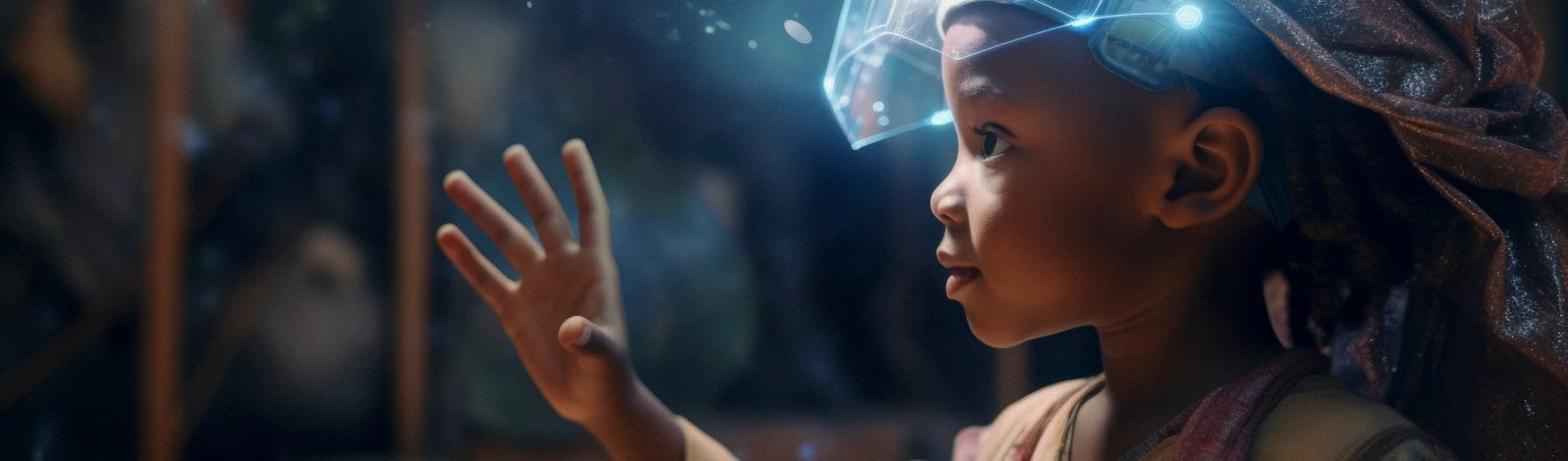
The tools were mostly built elsewhere. The problems they could solve here are ours to name.
We should not only consume AI. We can learn to build with it.
Helping farmers read crop and soil conditions.
Making learning materials reachable in more places.
Helping professionals analyse health information.
Tools that understand and translate our own languages.
Helping young people research, design and market a business.
Solutions designed for African communities by people who live in them.
SECTION 14
AI will change many jobs and many tasks. But the more useful question for a student is: how do I prepare to work with it?
AI IS GOOD AT
HUMANS ARE GOOD AT
The future may depend on learning to use both well.
DAY 1
Use AI to explain something you found difficult at school.
DAY 2
Ask AI to quiz you on a subject you are revising.
DAY 3
Use AI to brainstorm a Scratch or HTML project.
DAY 4
Find one mistake in an AI answer by checking another source.
DAY 5
Teach a friend or parent one thing you learned about AI.

The future will not belong only to people who have access to AI. It will belong to people who know how to ask good questions, think critically, create responsibly, and use technology to solve problems that matter.
Start Learning AI